

Guide: A Detailed Look at the Violation Records Page
Key Points
The Violation Records page is designed to give you clear, actionable information so you can resolve issues quickly and prevent them from happening again.
Let's see how these modules work in practice:
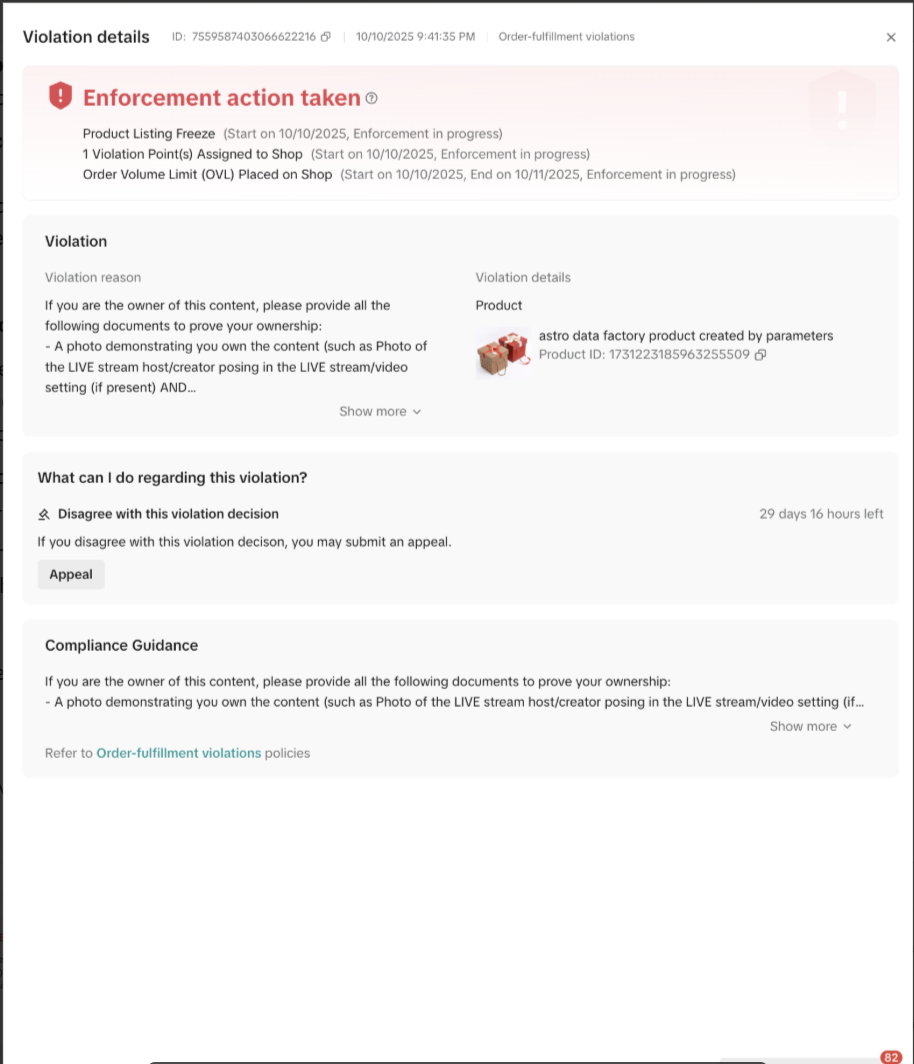
Example 1: Active Violation (Enforcement action taken)This ticket (red banner) shows an enforcement is already active.
- Why It's Important: Checking your violations regularly is key to protecting your shop from penalties (like OVLs or freezes) and ensuring good shop health.
- Where to Find: You can find new alerts on your Seller Center Homepage, and in your Inbox/email.
- Layout: The 5-section ticket guides you from understanding the problem to finding the solution.
- Give Feedback: Use the "thumbs-up" or "share confusion" buttons at the bottom of each ticket to help us improve.
Why It's Important to Manage Violations
Checking your violations regularly is key to protecting your shop from penalties (like OVLs or freezes) and ensuring good shop health. If you don't resolve violations in time, you risk restrictions such as Order Volume Limits (OVL) or product freezes.The Violation Records page is designed to give you clear, actionable information so you can resolve issues quickly and prevent them from happening again.
Where to Find Your Violation Notices
- Seller Center (PC):
- Account health - Shop health - Violation records
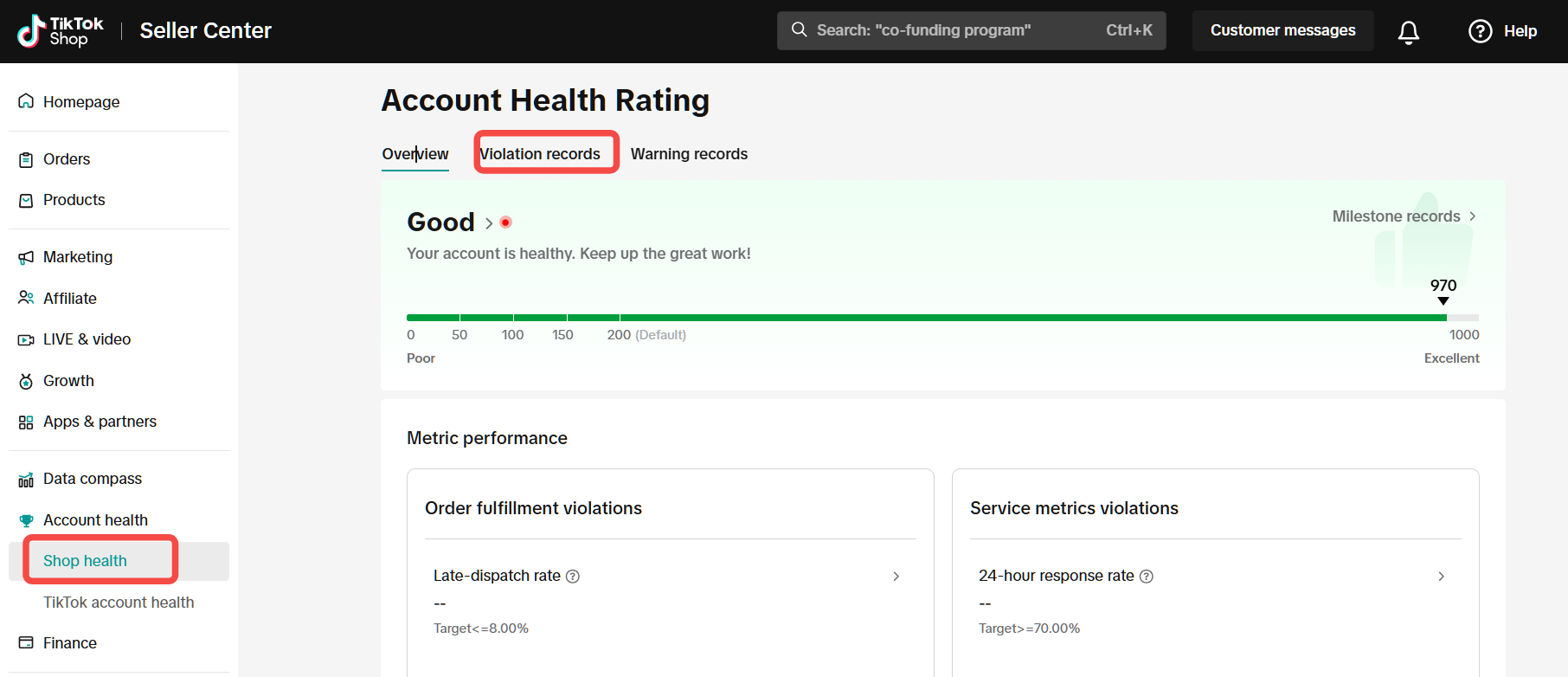
- Account health - Shop health - Violation records
- Other Channels:
- Seller Center Inbox
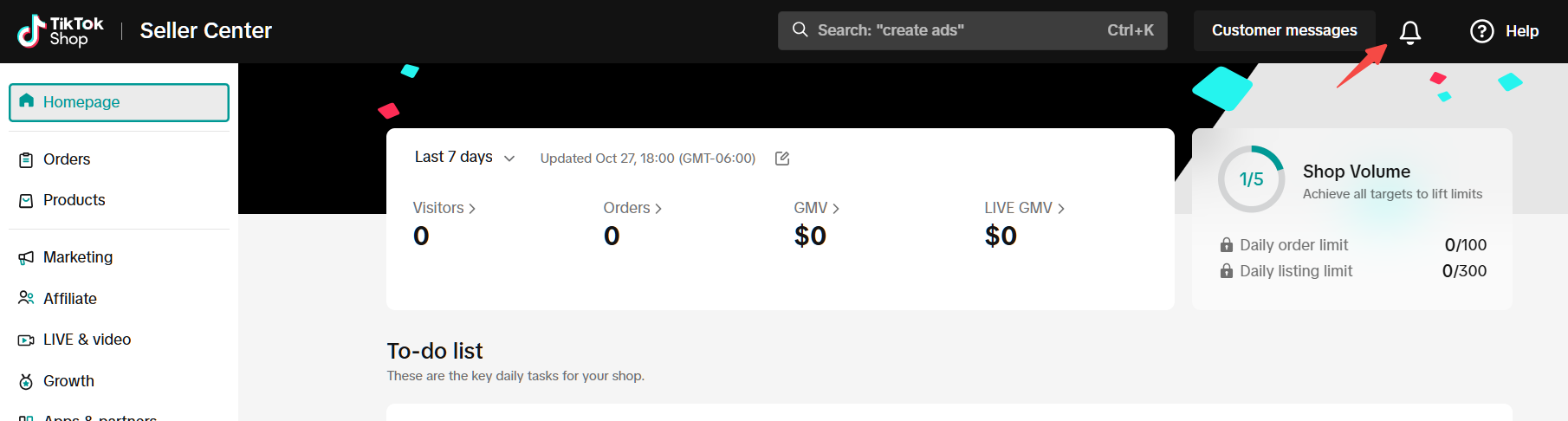
- Seller Center Inbox
How to Read and Act on the Violation Ticket
The ticket format is designed to guide you step-by-step. When you open a ticket, you'll see it's broken down into five key sections. Here’s what each one means and how to use it:- Enforcement Status This is the colored banner at the very top (e.g., red or yellow). It's the first thing you should check, as it clearly tells you the status of the penalty, such as "Pending" (a warning) or "Action Taken" (an active penalty).
- Violation Information This section explains why you received the violation. You can review the Violation Reason and Violation Details here to see exactly what product or order is affected.
- What can I do? This is the most critical section. It shows you the immediate actions you can take, like the "Appeal" button. It is highly recommended to pay close attention to the countdown timer here, as you must submit your appeal before it expires.
- Compliance Guidance After you've handled the immediate actions, this section provides valuable long-term advice. It's designed to help you understand the root cause and prevent the same issue from happening again.
- Policy Learning Finally, this new module provides a brief summary and a direct link to the relevant policy. It's a great way to quickly learn the rules and avoid future mistakes.
Let's see how these modules work in practice:
Example 1: Active Violation (Enforcement action taken)This ticket (red banner) shows an enforcement is already active.
- You'll first see the Enforcement Status is "Action Taken."
- The Violation Information shows the Reason is a "LIVE content ownership issue."
- Most importantly, the "What can I do?" section shows you can still "Appeal" and have "29 days 16 hours left" to do so.
- The Compliance Guidance then helps you understand what documents to prepare.
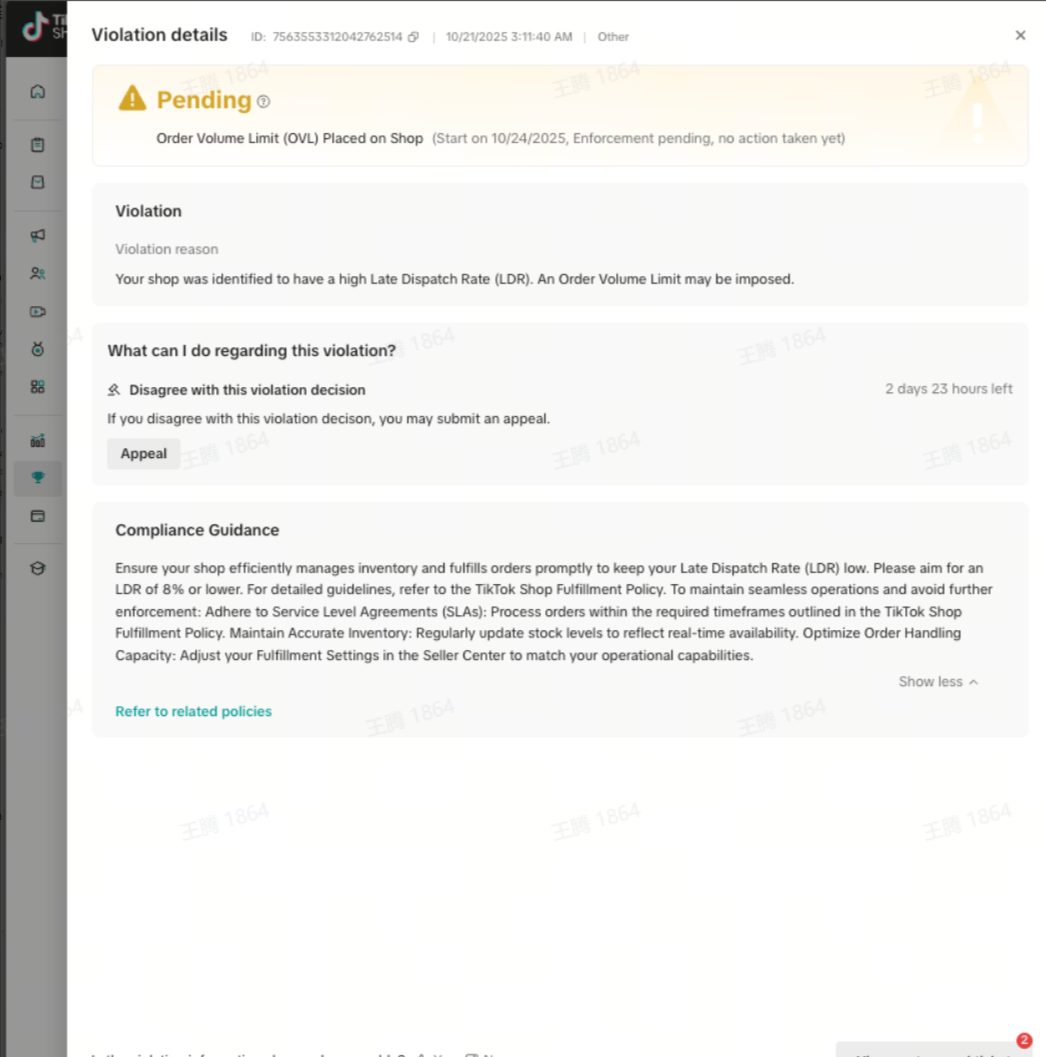
- You'll see the Enforcement Status is "Pending."
- The Violation Information explains the Reason is "High Late Dispatch Rate (LDR)."
- The "What can I do?" section shows you can "Appeal" to prevent the penalty from starting, and you have "2 days 23 hours left"."
- The Compliance Guidance and Policy Learning sections then give you specific advice and links on how to lower your LDR.
Help Us Improve: How to Provide Feedback
At the bottom of every new violation ticket, you will find a simple feedback button. Your input is valuable for improving this feature.- ✔️ Thumbs-up: If you find the explanation clear and helpful, giving it a "thumbs-up" confirms that the information is useful.
- 💬 Share Confusion: If something is still confusing, sharing that feedback will help identify areas for improvement on that specific ticket type.