

How to Keep Your TikTok Shop Seller Account Secure
Introduction
Account security is essential to protecting your shop, your customers, and the integrity of TikTok Shop. This guide outlines key features and best practices you can follow to secure your seller account — including how to add a phone number, enable two-step verification (2SV), identify signs of suspicious activity, and report issues to our support team.Link a Phone Number to Your Account
Adding a valid phone number strengthens your account security by allowing you to verify your identity and recover access quickly in case of lockout.How to Add Your Phone Number:
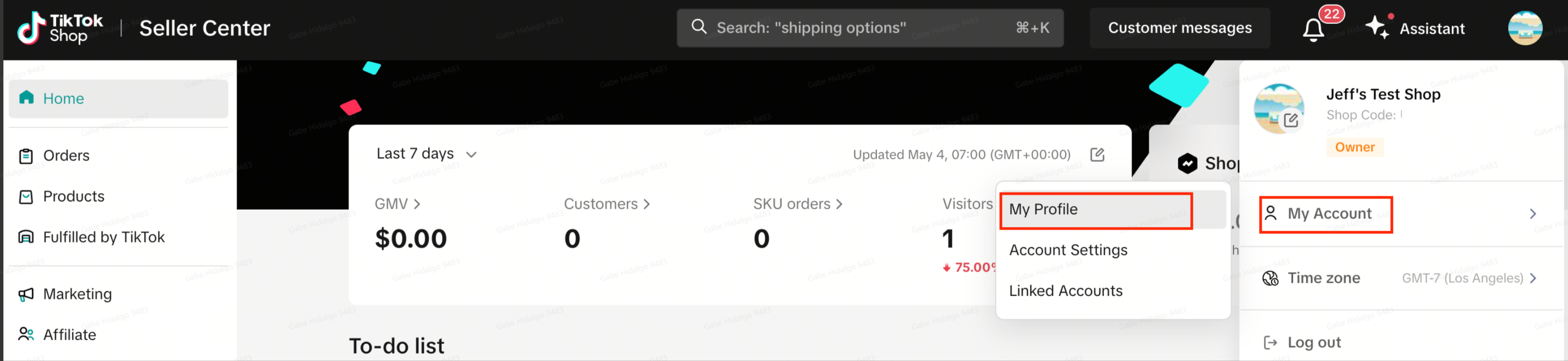
- Log into Seller Center.
- Click the Shop Icon in the top right corner.
- Select My Account > My Profile.
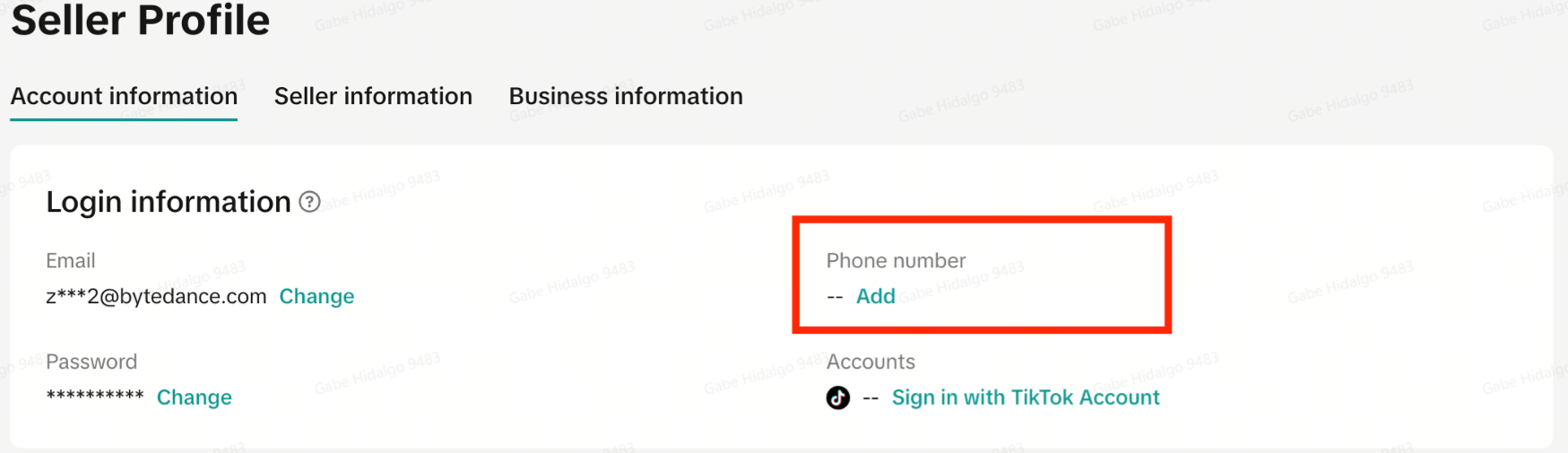
- In the Login Information section, add your phone number.
Enable Two-Step Verification (2SV)
Two-step verification adds an additional layer of protection. In addition to your password, you’ll need a code sent to your phone to log in — making it harder for unauthorized users to access your account.How to Enable 2SV:
- Go to My Profile as described above.
- Under Account Information, make sure your phone number is added and verified.
- Scroll down to Account Security > Two-Step Verification.
- Turn on at least two verification methods for extra safety.

Spot the Signs of a Compromised Account
Watch out for:- Unfamiliar messages sent from your account
- Login alerts from unknown locations/devices
- Unauthorized changes to email, phone, or password
- Reset your password immediately
Stay Safe from Scams in Instant Messages
Scammers often reach out through DMs or external apps. Follow these tips:- ❌ Don’t click suspicious links from unknown users.
- ❌ Don’t scan QR codes shared through messages.
- ❌ Don’t share private info like your email, password, or payment details.
- ❌ Don’t move conversations or transactions off-platform (e.g., WhatsApp, Telegram).
Report Unauthorized Access Immediately
If your account has been compromised or you suspect suspicious activity, use this self-reporting form to lock your account:🔗 Self-Reporting Form for Compromised Seller AccountsYou will be asked to enter your shop information. A successful submission will temporarily lock your account while our team investigates.
