

Growth Opportunities
Overview
Growth Opportunities is a TikTok Shop feature designed to help sellers learn, grow, and earn rewards while managing their shops.
Through a series of interactive missions, sellers can complete key operational and learning tasks — such as optimizing listings, participating in campaigns, or activating tools — and receive rewards that boost their shop’s performance.
Sellers can easily access their missions and track rewards via TikTok Shop Seller Center → Growth → Growth Opportunities, making it a central hub for continuous shop improvement and growth.
⚠️ Only account owners can participate — sub-account users are not eligible.At this stage, it helps sellers become familiar with the platform and achieve their first order by completing a series of progressive missions.
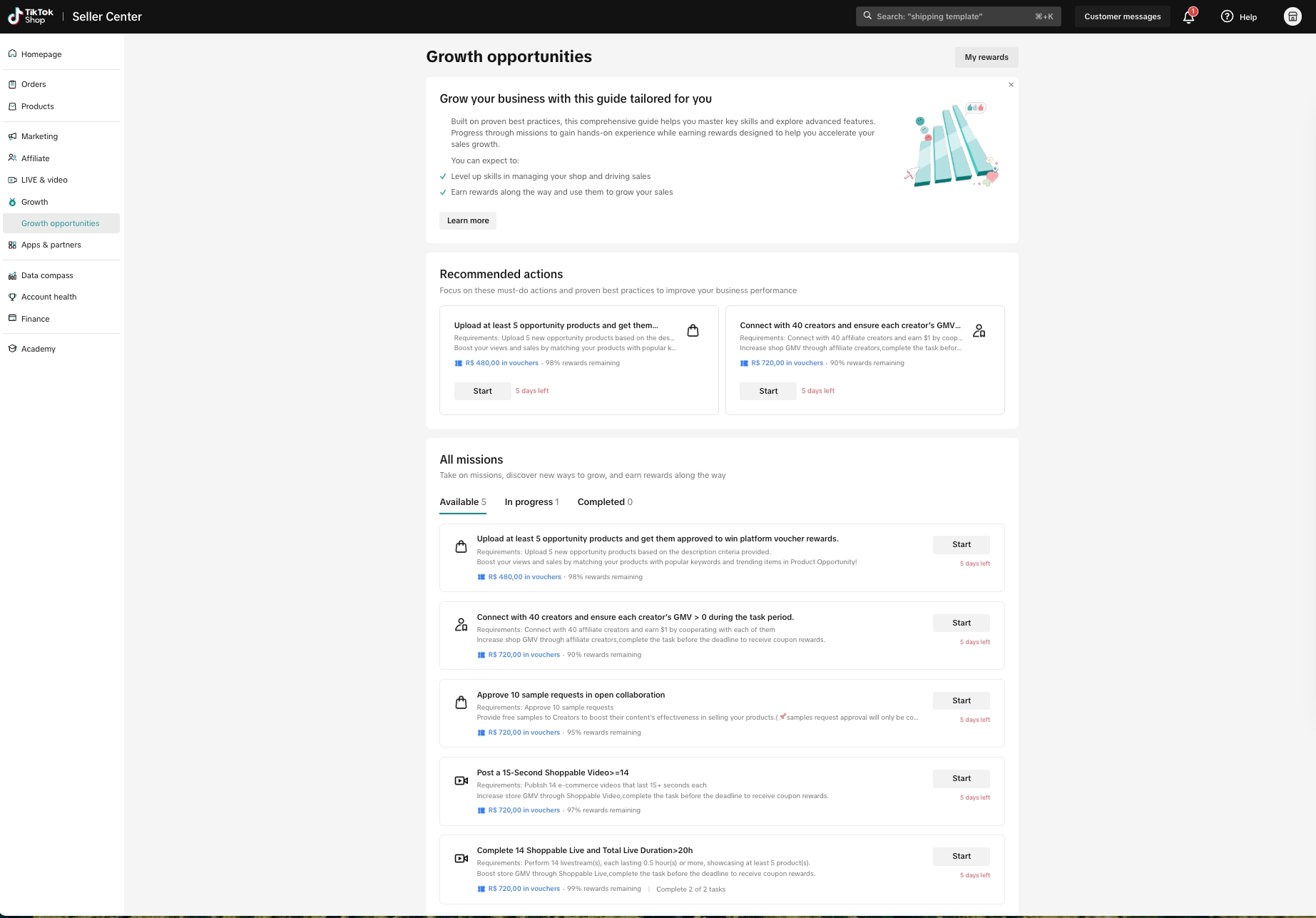
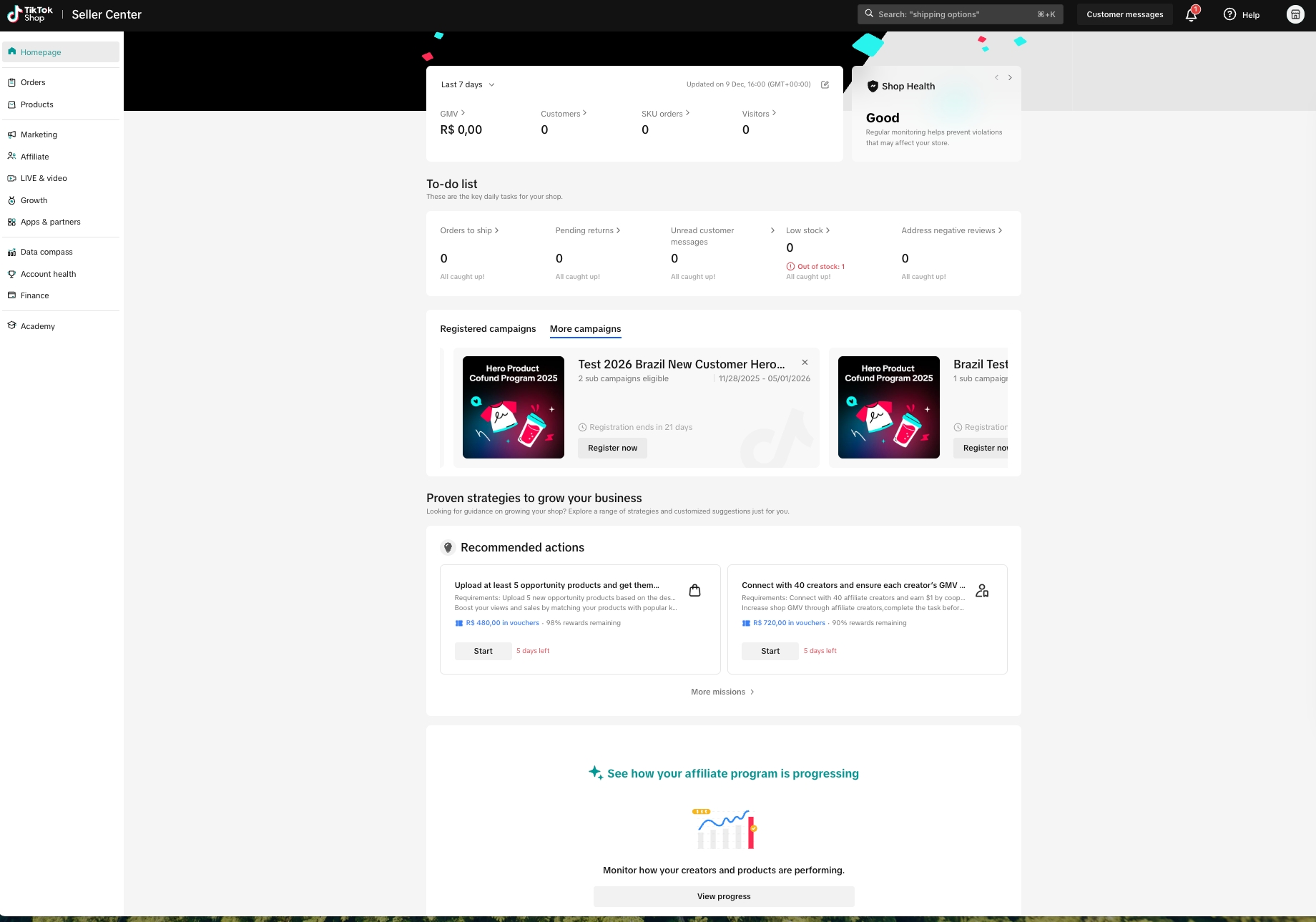 Access the Growth Opportunities SectionGo to Growth → Growth Opportunities in your Seller Center navigation bar.
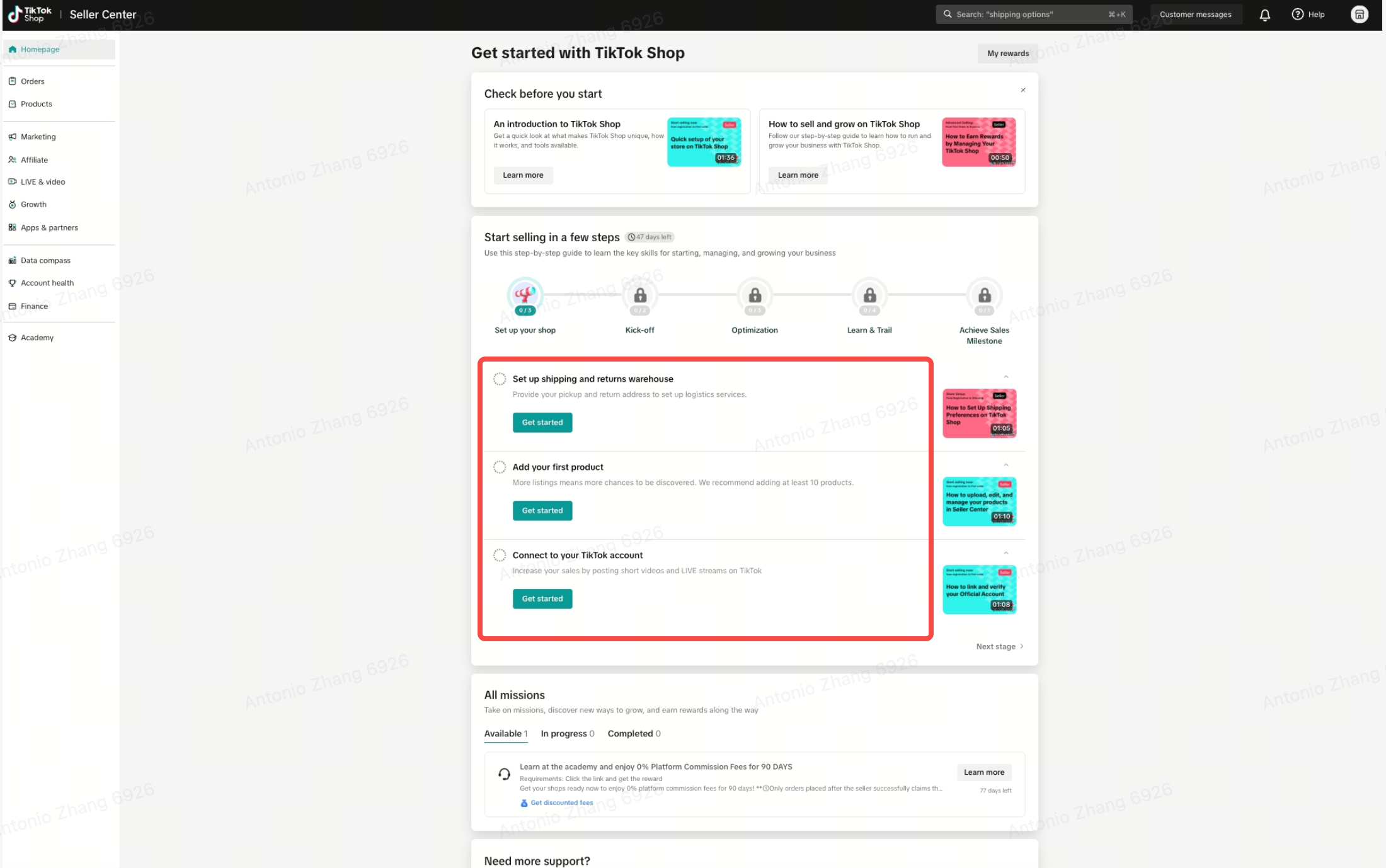
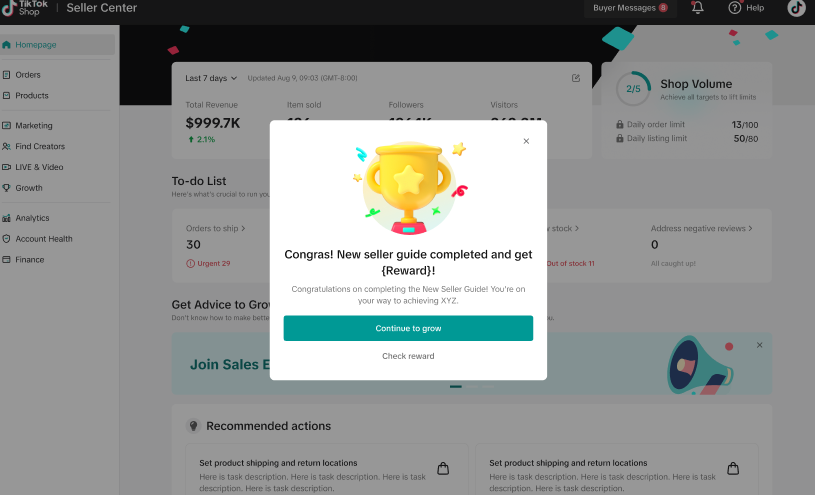
✅ Complete tasks, follow the guidance, and earn rewards along the way!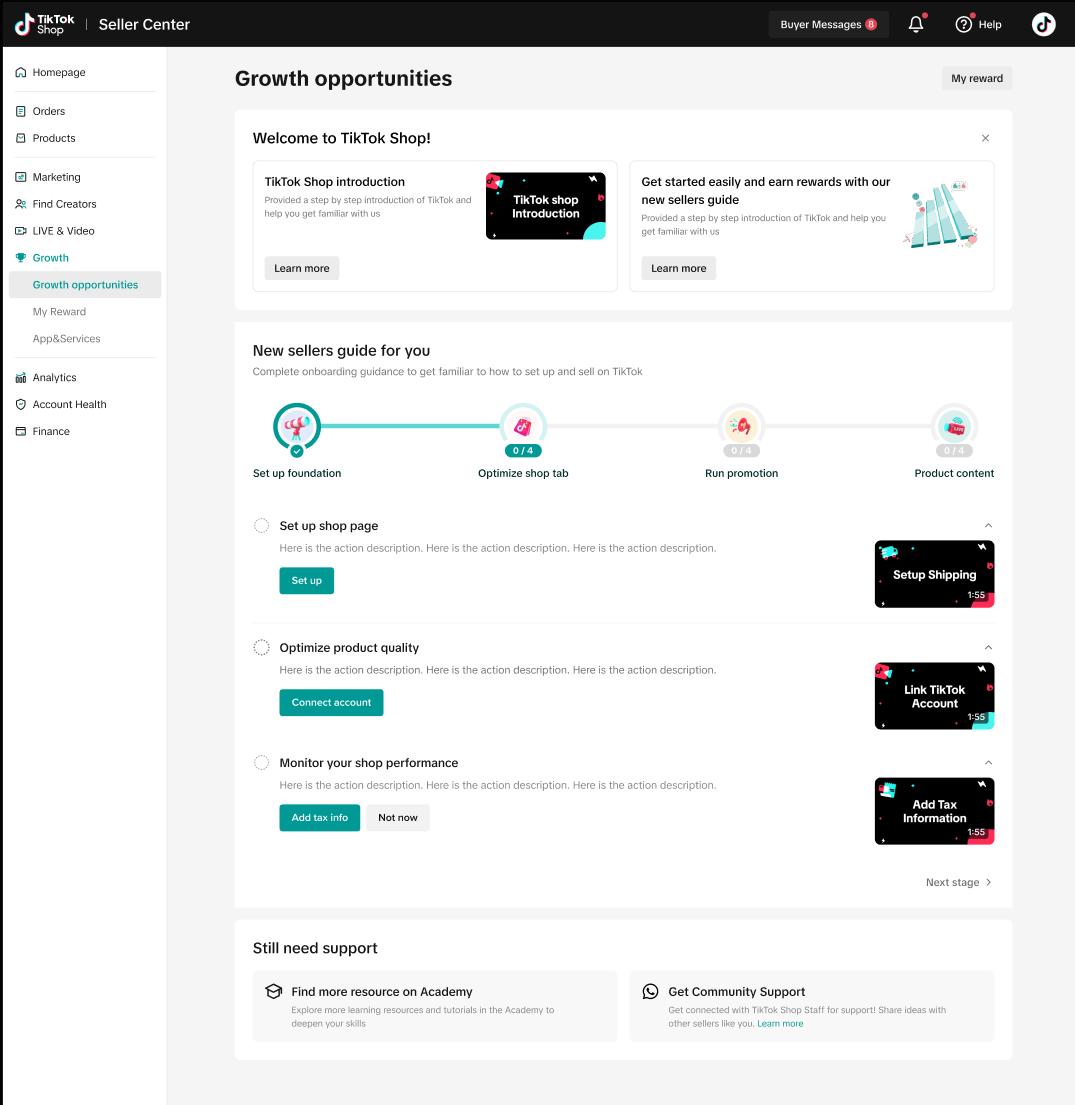 After completing the new seller tasks, a widget will appear on the homepage to guide sellers to their next growth steps.
By clicking “Learn More” or “Get Started” on the widget, sellers will be redirected to the Growth Opportunities page, where they can access more advanced missions designed to help increase their GMV.

Click on the "?" icon to learn how to use this reward (Subject to terms and conditions).
Click “Check Reward” to view the reward details.
 Note: For certain missions — such as posting a video or hosting a LIVE — the mission status updates the following day after completion.You can check all your rewards anytime by navigating to:
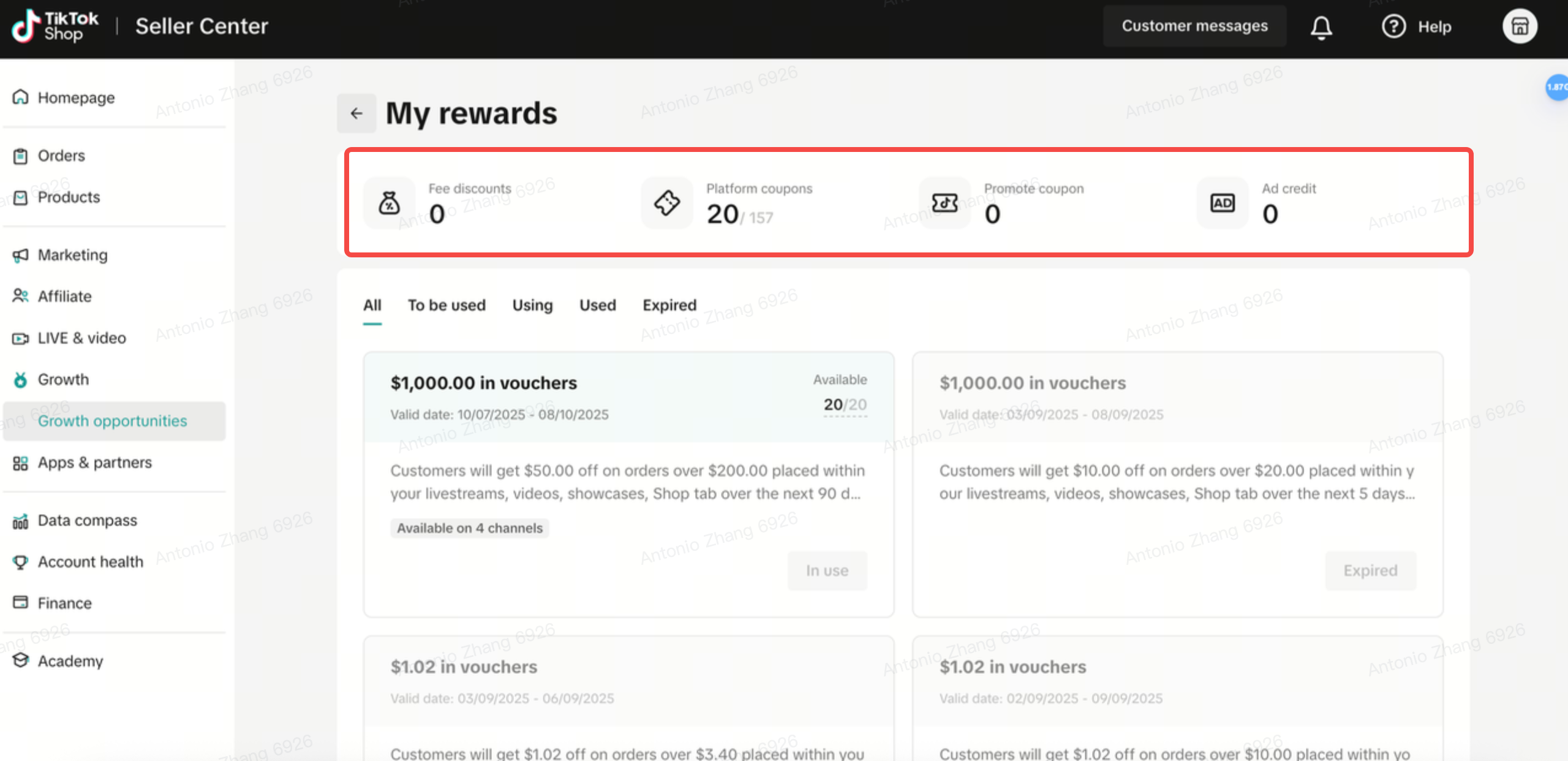
Growth → Growth Opportunities → My Rewards.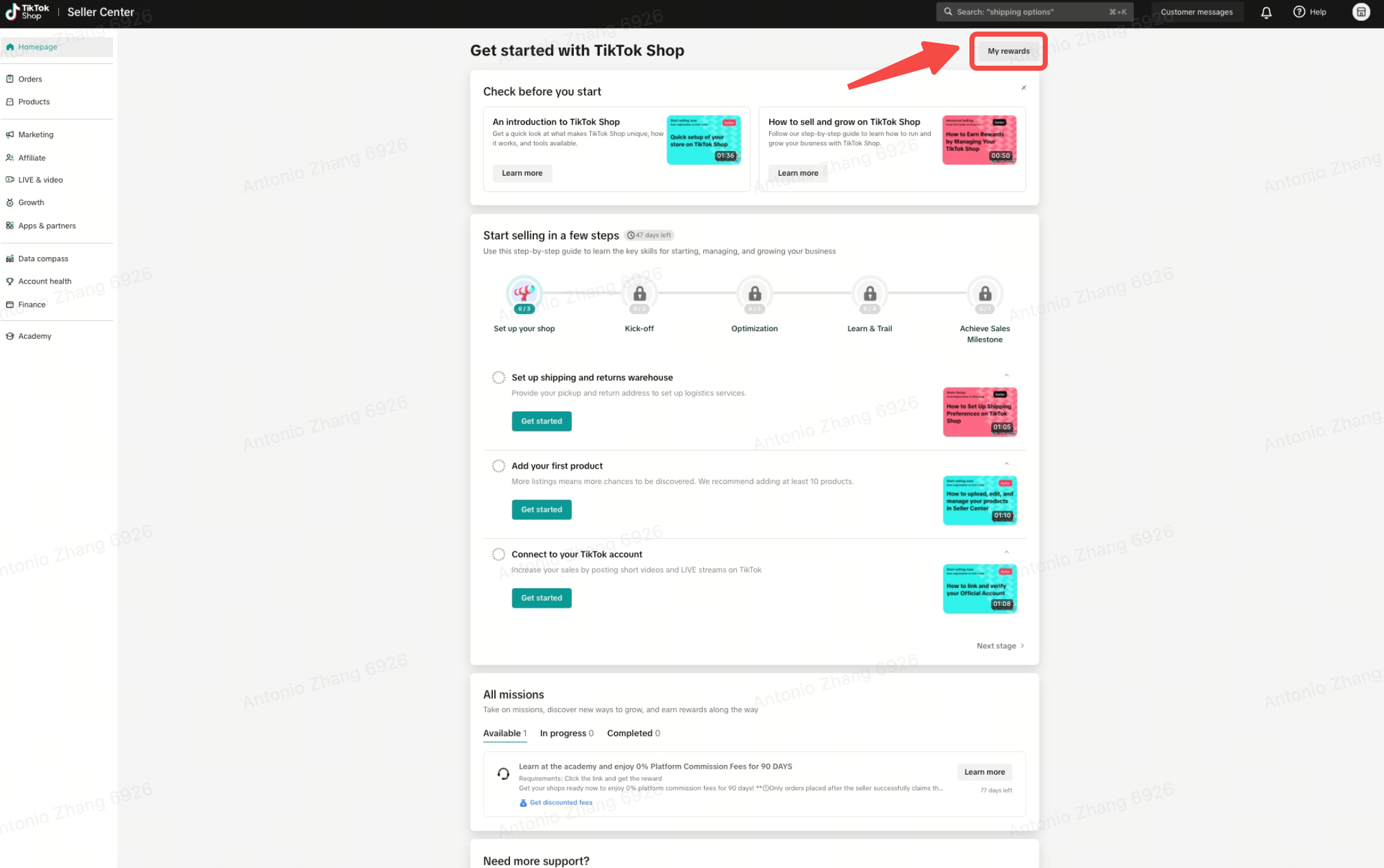 There are several ways to use your rewards, and each type may have a different claiming process:
Example:For Coupon Rewards, buyers can claim your vouchers directly from your videos, LIVE sessions, or Product Page. Encourage your customers to claim and use the vouchers immediately before they expire to boost your sales performance.You can click on each reward to filter by type and view the current status of the selected reward.
Also, any completed missions will continue to be displayed in the Mission History section on the "My Missions" page.
Growth Opportunities is a TikTok Shop feature designed to help sellers learn, grow, and earn rewards while managing their shops.
Through a series of interactive missions, sellers can complete key operational and learning tasks — such as optimizing listings, participating in campaigns, or activating tools — and receive rewards that boost their shop’s performance.
Sellers can easily access their missions and track rewards via TikTok Shop Seller Center → Growth → Growth Opportunities, making it a central hub for continuous shop improvement and growth.
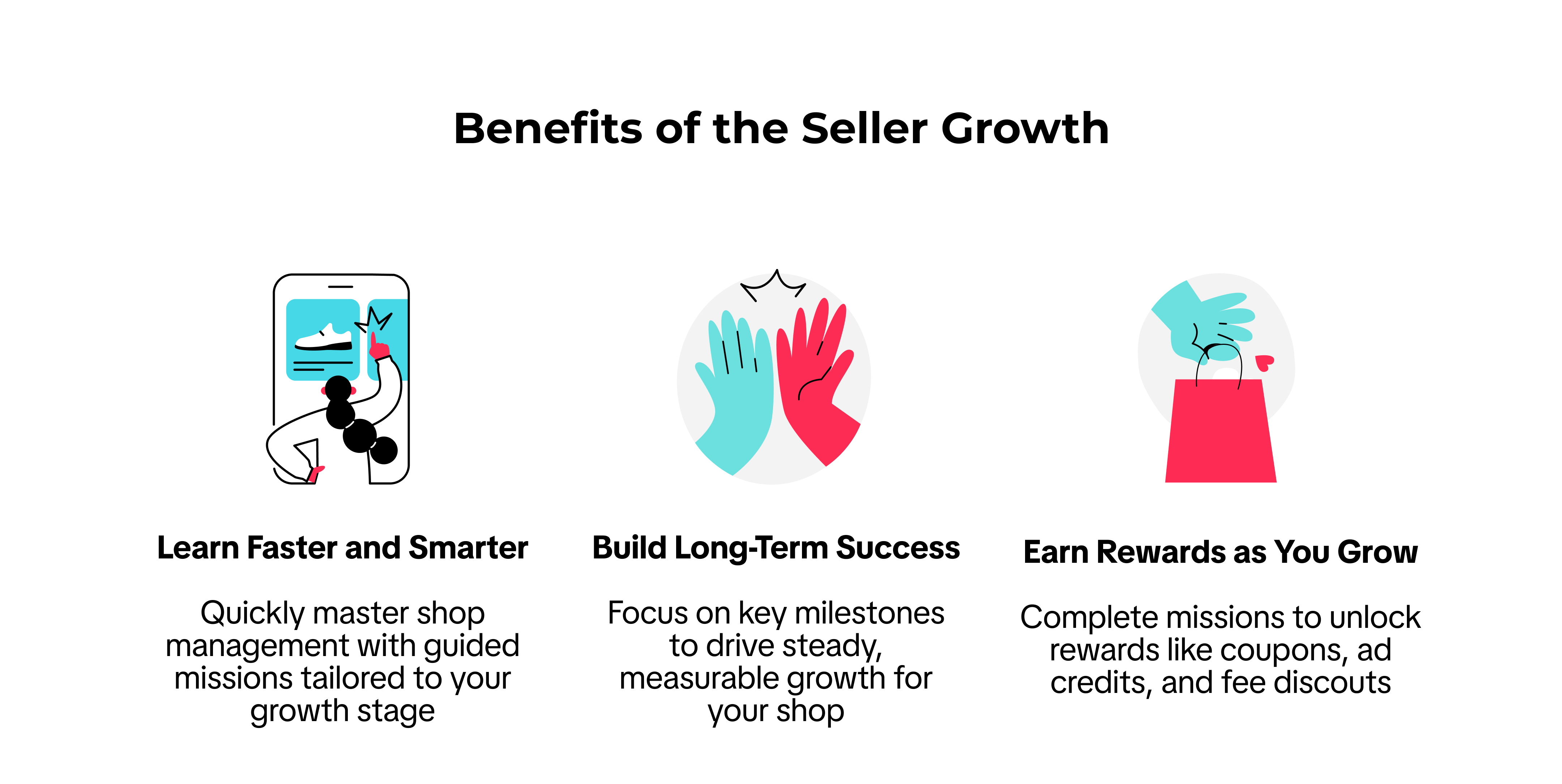
Benefits
How to Get Started
Complete Your Setup Missions FirstBefore joining My Missions, make sure you’ve finished the TikTok Shop Setup Missions stage by stage.⚠️ Only account owners can participate — sub-account users are not eligible.At this stage, it helps sellers become familiar with the platform and achieve their first order by completing a series of progressive missions.
- At the top, you’ll see a welcome panel introducing TikTok Shop and Growth Opportunities.
- Below, a chronological mission chart displays your progress and active missions, each with a guide on the right-hand side.
✅ Complete tasks, follow the guidance, and earn rewards along the way!
By clicking “Learn More” or “Get Started” on the widget, sellers will be redirected to the Growth Opportunities page, where they can access more advanced missions designed to help increase their GMV.
What are the rewards
There are various types of rewards that can benefit sellers to sell with TikTok Shop.- Fee Discount: get commission deduction as rewards. This reduces the commission fee that TikTok Shop charges for your completed orders. The reward will be sent to your account and will automatically reduce your total commission fee amount.
- Platform Coupons: get coupons as rewards. These coupons are discount coupons created by TikTok Shop and issued to sellers where the cost is covered by the platform. During the redemption period, buyers can claim and use them on the corresponding channels (such as livestreams and videos).
- Promote Coupon: get promote coupons or Ad credit as rewards. Promote coupon is a paid advertising tool offered by TikTok to help promote your videos and livestreams. You can use them to get discounts when you use promotional tools on TikTok.
Click on the "?" icon to learn how to use this reward (Subject to terms and conditions).
- Ads Credit: earn ad credits by completing tasks. These credits help sellers promote their products and boost visibility without upfront advertising costs.
How to Claim and Use the Rewards
Once you complete a mission, a reward notification window will automatically appear confirming that your reward has been credited to your account.Click “Check Reward” to view the reward details.
Growth → Growth Opportunities → My Rewards.
- Some rewards are automatically applied to your account.
- Others may require you to manually activate or opt in (for example, promotion coupons).
Example:For Coupon Rewards, buyers can claim your vouchers directly from your videos, LIVE sessions, or Product Page. Encourage your customers to claim and use the vouchers immediately before they expire to boost your sales performance.You can click on each reward to filter by type and view the current status of the selected reward.
FAQ
- Who is eligible to participate?
- When do missions updates and rewards appear?
- What kinds of rewards and tasks are included?
- What happens if a mission expires before I'm able to complete it?
Also, any completed missions will continue to be displayed in the Mission History section on the "My Missions" page.